Report: Large Coursework

Kpongote O. Isong

Launch Website

Introduction

What is the essential story being told by your site and what type of structure did you choose to implement.


I choose to build this website that will be the online website for a free magazine called The Flotilla Magazine which is produced by a society that I belong to and I am actively involved in the production of the magazine.

The Flotilla Magazine is a general interest-based magazine published in Japan in English for the society with emphasis on reporting African news from an authentic perspective and verifiable news. The magazine is unique in that it is a medium that is used to correctly inform and educate on the black community in Japan and beyond.
Having a website, will provide the magazine with a larger audience reach, improve the kind of articles published in terms of its scope and content. It will also allow for the magazine to source for and receive articles from a larger pool. Havin a full presence online with lead to savings for example in the production cost as a lesser number will be printed.

The website I have built has taken into consideration the way the printed copies are structured as this will help with usability by creating a familiar experience with regards to contents and some of the site layout. It a responsive site that was designed and built applying the mobile first style for the development.
Inspiration

State 3 things that have inspired you when creating your website. These could include guest speakers, other websites, artists, developers etc.


Three things that inspired me in the creation of this website are:

  1. Lack of any black produced publication in Japan, providing authentic and unbiased views or perspective from a black’s perspective.

  2. The existence of other publications that do not cater to the magazine’s demography exclusively

  3. Tokyo Metropolis and Tokyo Weekender magazine websites are some similar magazines that also have websites in Tokyo.

Accessibility

State 3 ways in which your site is accessible.


  1. 1. Enhancing the site by providing a favicon with helps to add recognition of the site , etc.

  2. Using simple and readable fonts without too much variation and few colors

  3. Giving names to all images all tags.

Usability

State 3 ways in which you have considered usability in your site.


  1. Placing large files-links at the bottom of the document e.g JavaScript files

  2. Used optimized images that are not huge file sizes.

  3. 3. Laying out the site contents in an easy way that can be easily followed or navigated.

Learning

State 3 things you had to learn/find out by yourself when creating your site, and describe how you did that .


  1. Grid and flex. I had to learn all about the grid layout system for web development in more dept. Initially I was finding it difficult to get my head around where the grids began and ended etc. I finally got to understand how grids (and also flex) work. I decided to use it for the layout of my site which I really enjoyed using grid and flex as they helped to keep the layout simple and straightforward.

    Mozilla developer network site (MDN), W3school and StackOverflow were a great resource for me. I have just scratched the surface as I can think of a lot of different layouts that can be done with grid and how easy it to, make a grid responsive.

  2. Creating an image gallery for the site was a bit hard but I enjoyed it. Learning to use Lightbox to create the gallery was fun to do. The part I liked most is that it could be done with CSS3 and HTML5 without needing a lot of JavaScript.
    I used lightbox, HTML and CSS to create the simple gallery. Also watched some videos online.

  3. Template creation using Handlebars for the site. I used the template I created to separate the contents to be added to the site from the code itself. This separation makes it very easy for anybody without coding knowledge to add or edit contents as only the specific JASON file needs to be edited. Using template like this also makes it very easily to create new pages, update and maintain the site.
    Resources I used for understanding how to use Handlebar more for templating are Handlebars’ website, YouTube Handlebars.js Tutorial


What aspect(s) of your work do you think worked well and why?


Creating the site’s layout site using only grids and flex for certain areas within the grid layout. Creating a simple functional image gallery using, html and cs with a light JavaScript plugin.
Use AJAX and JSON to get data to be used for site contents.

What aspect(s) of your work could be improved, and how might you do things differently another time?


Improve on the way I use flex within the flex or more grids for layout. Make page sections into modules and them use JavaScript to create templates for this module.
Create a single file for parts of the site that are the same e.g header or footer and then them create a template for the few parts that needs to change or be different for each page that can be provided when creating the page. Use JavaScript more for functionality like adding a more button to the site which can be used to show more or lesser article listing.

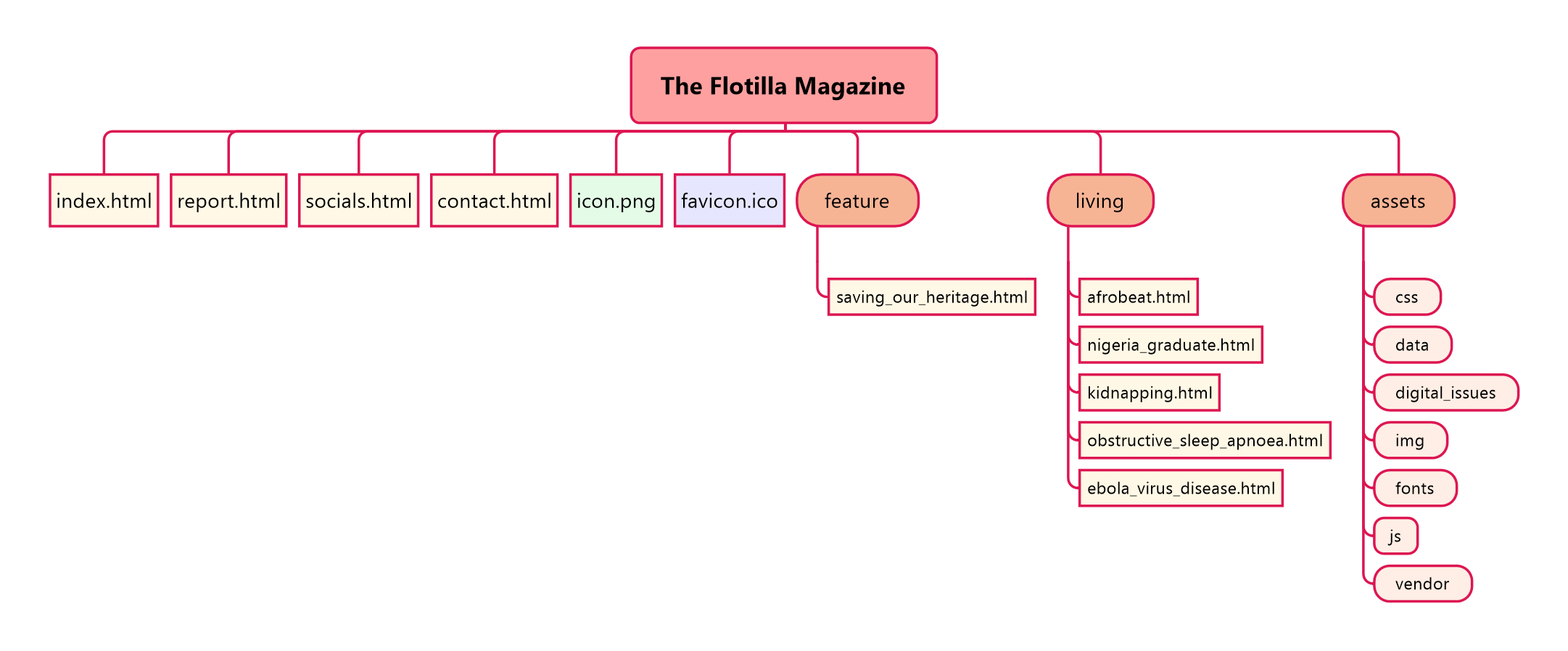
website sitemap

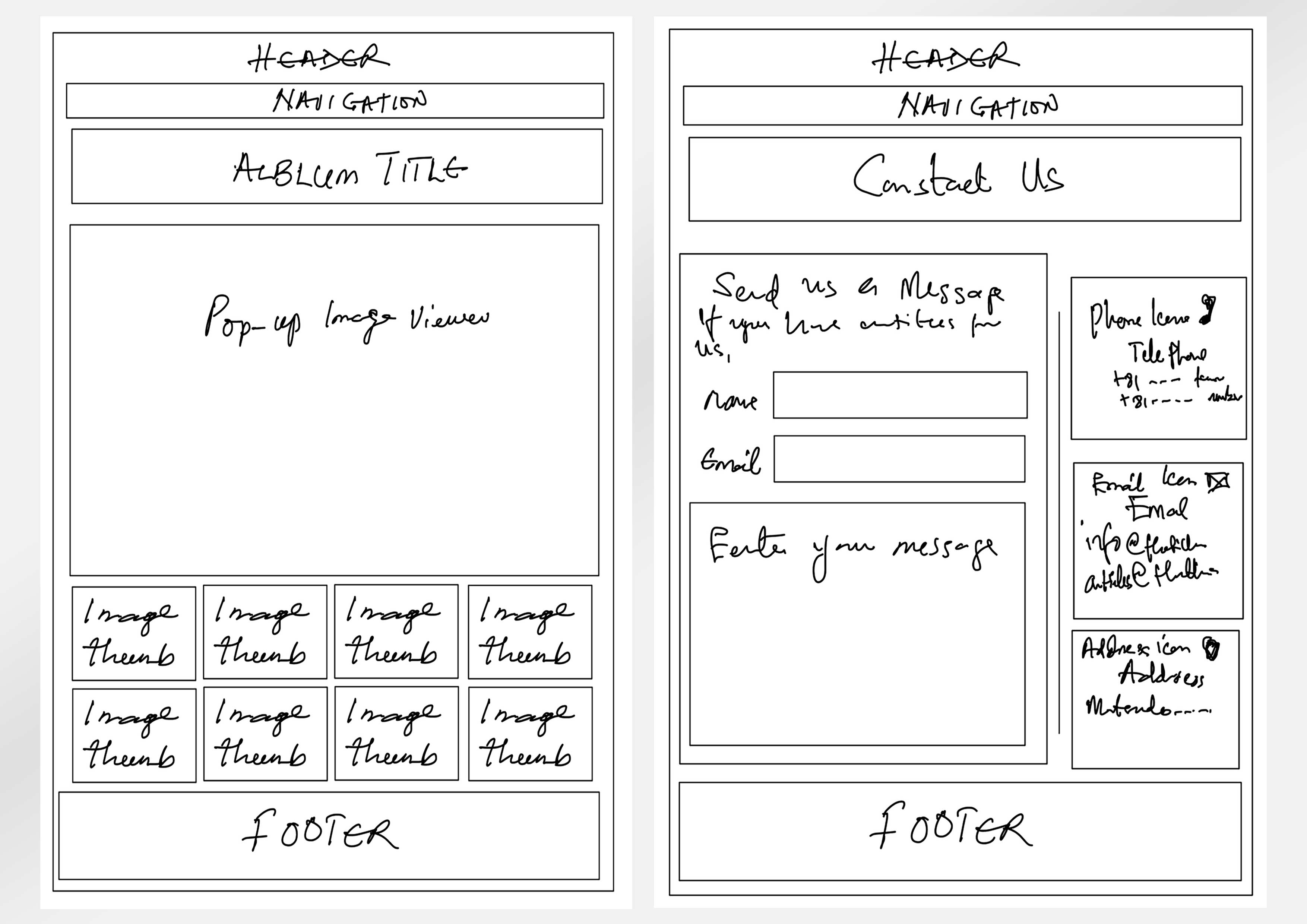
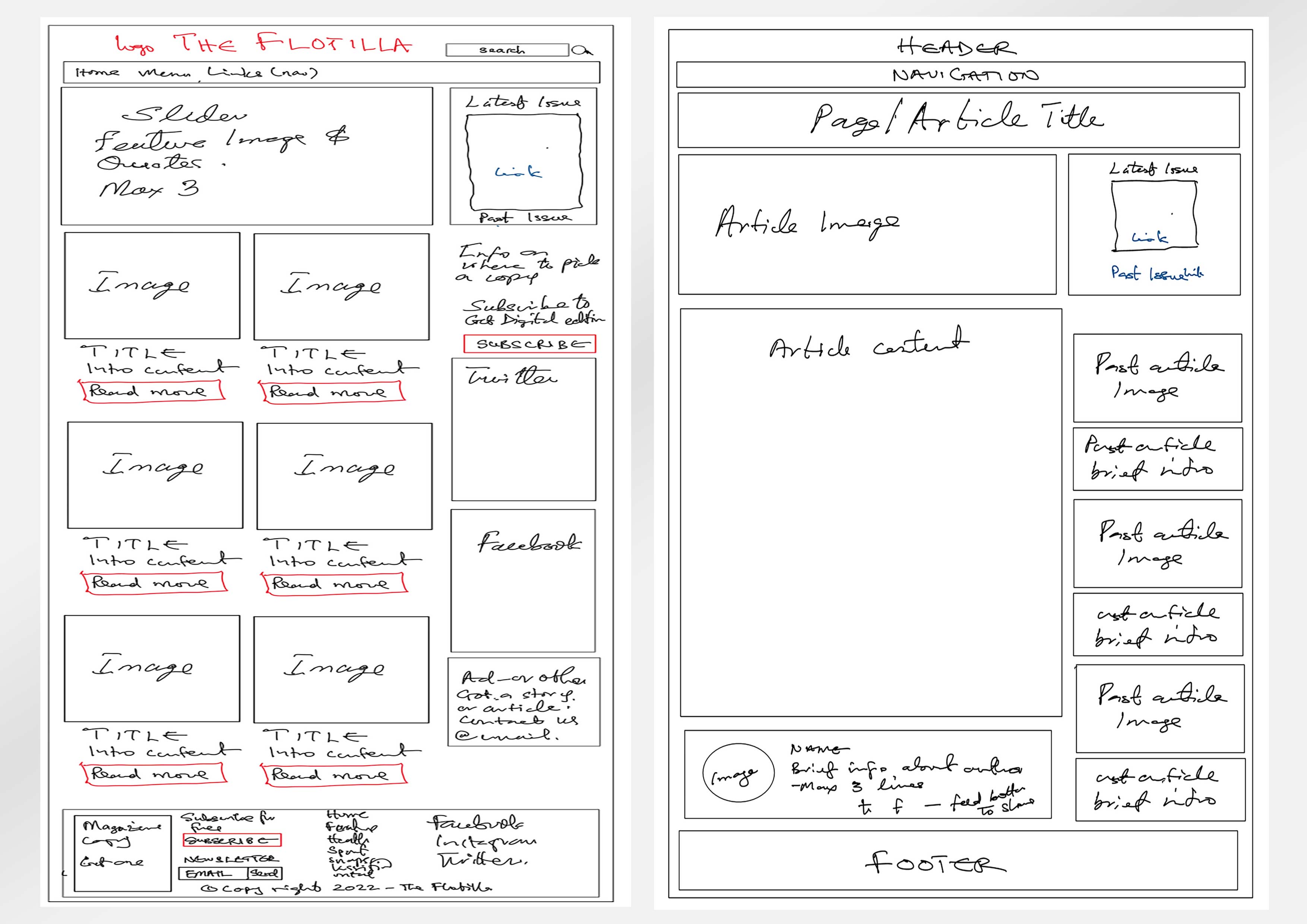
wireframe for big display wireframe for small display

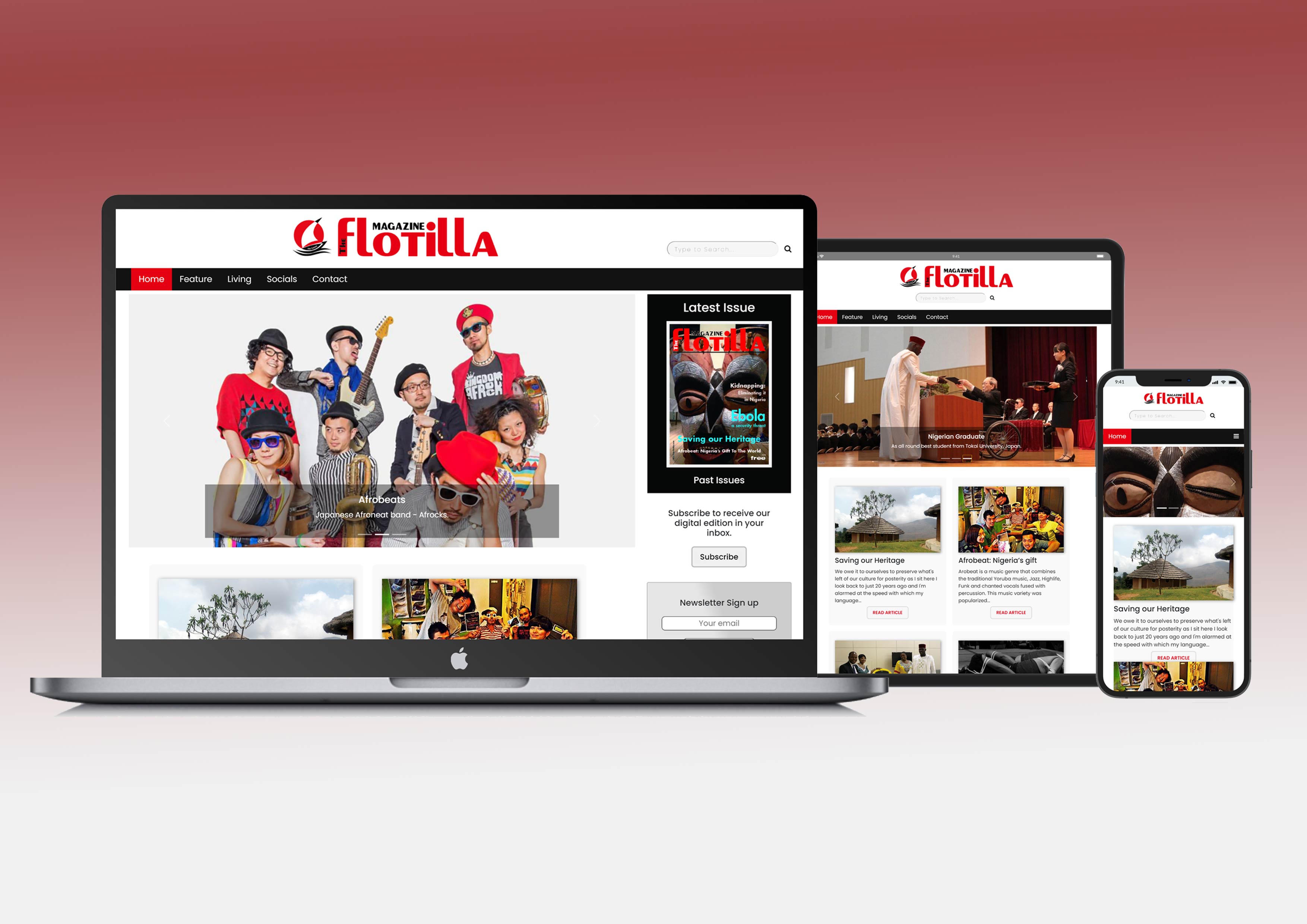
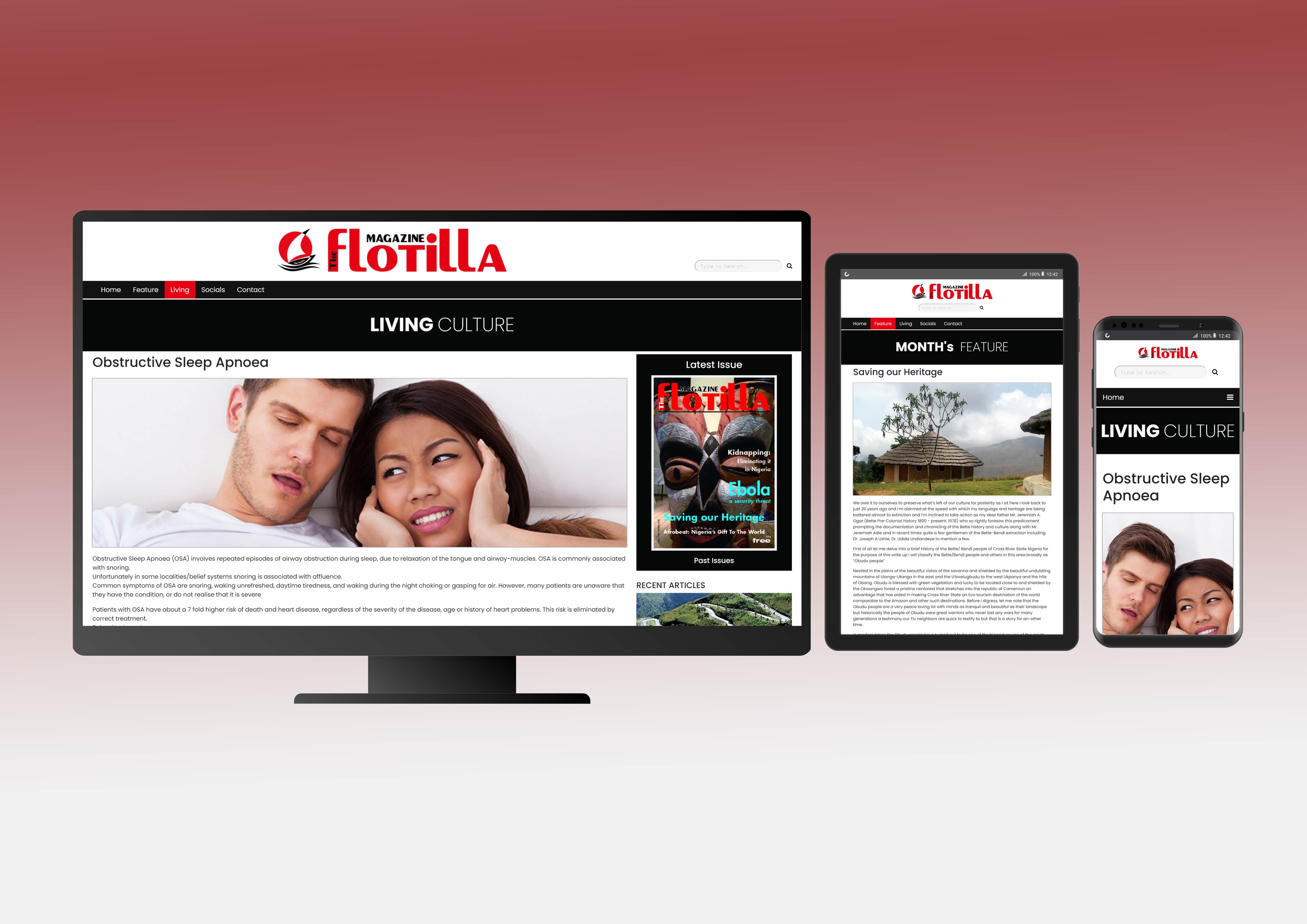
mockup on Apple decices mockup on Windows and Android devices

Resources

What resources were used when creating your work?